
How to Add a New User
- Sign into your Google Analytics account.
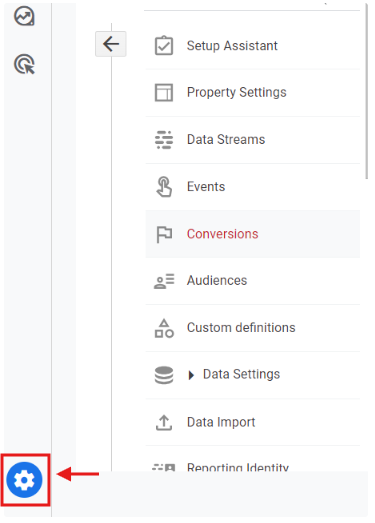
- Click the gear icon on the bottom left part of your screen.
- Under Account, Click on Account Access Management.
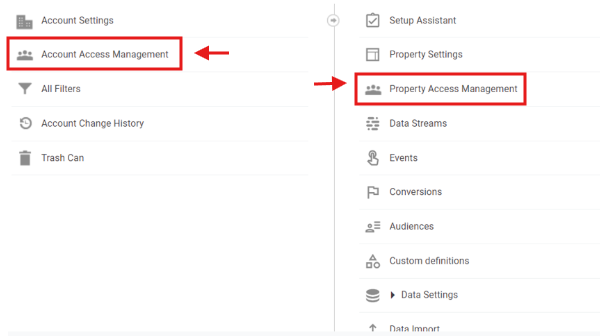
If you only want Orbee to access the specific Analytics property, select Property Access Management - Click the + icon at the top right of the screen. Select Add users.

- Enter the email address you would like to invite. Under Direct roles and data restrictions, select Editor.
- To invite Orbee, type analytics@orbee.co under Email addresses.

- To invite Orbee, type analytics@orbee.co under Email addresses.
- Click Add to finish adding Orbee.